As you know, we have now three choice for storing data immediately available now:
First : use the old mysql library from essentialmode <= 2 (not recommanded because it breaks servers with bugs related to DataReader for example)
Second : use a custom mysql library released by @Brouznouf : mysql-async ([Release] MySQL Async Library - 3.3.2, there is a guide about this one)
Third : use CouchDB used by EssentialMode >= 3
If there’s more, sorry, please notice me ^^’
But in this tutorial, we’ll see how to migrate MySQL data to CouchDB for people who wants to test it or develop with it.
If you are a developper, you can have to think about a new structure about your data
Requirement :
Having a working CouchDB 2 setup
Having PhpMyAdmin or knowledge about the tool you are using
1/ Export a table (not all table, just one, example : police), with phpmyadmin or any tool you prefer, in JSON Format
Select your database
Select the table you want to export
Click on the Export tab
Select the JSON value in the drop-down list then click Go
Now you have all table’s data on a single file, please keep it
2/ Create a new database on couchdb related to data you are going to export
Go to Fauxton on Apache CouchDB : e.g. http://127.0.0.1:5984/_utils/
Click on Create Database
Enter the database name you want (related to data you are migrating) in the field then click Create
3/ We are going tu use curl so if you you have Windows, I recommand you to install GitBash. On Linux, you can just download packages
Linux
Please install curl package (if you don’t know how, it depends the distribution of your linux, so refer to Google)
Windows
Install GitBash : https://git-for-windows.github.io/
4/ Open GitBash/terminal and go to the directory where your exported file is (in the example, my police.json is on the Desktop)
Linux
Use cd to change directory
Windows
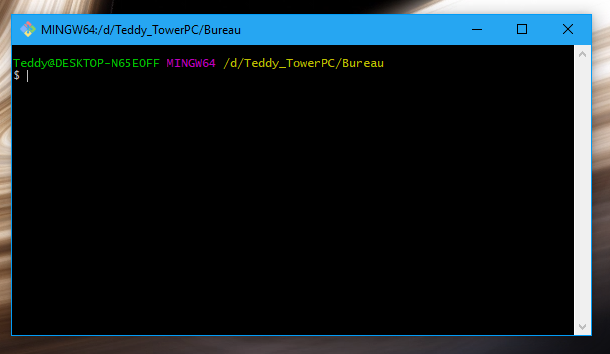
Go to the directory you put your file then Left-Click and select “Git Bash here”
Now, you should have this kind of window
5/ Now you have to edit your exported file :
Remove all comments
Add ‘{“docs” : ALL_DATA }’

6/ Type in GitBash/terminal :
curl -X POST 'http://user:pass@host:port/dbname/_bulk_docs' -d @yourFile.json -H 'Content-Type:application/json'
In our case : curl -X POST ‘http://root:1202@127.0.0.1:5984/police/_bulk_docs’ -d @police.json -H ‘Content-Type:application/json’
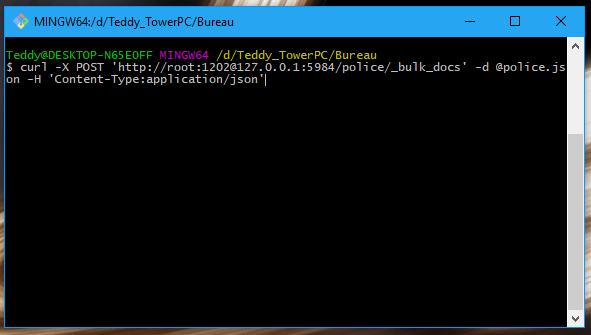
If you follow all isntructions, you should have something like that (if you have a lot of data)

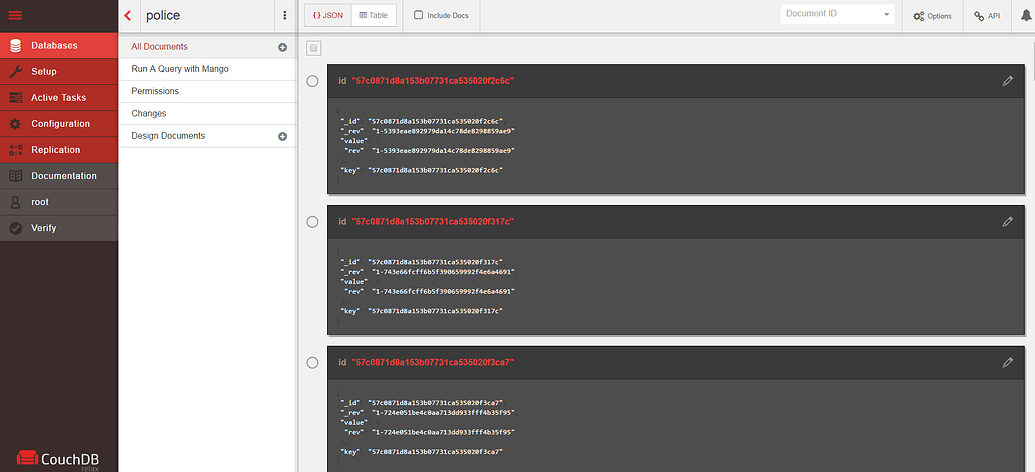
You can also check on Fauxton, it should have some documents now (1 document per data)

 GAZDUIRE JOCURI / VPS / GAZDUIRE WEB / SERVERE DEDICATE - Stock NELIMITAT / Valabil comandati pe