Step 1, finding a vehicle, or vehicles we’d like to convert
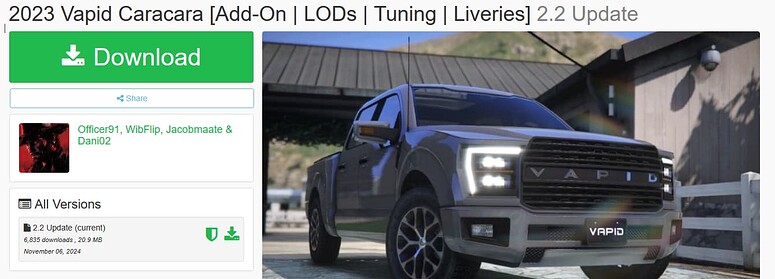
Starting out, let us find a vehicle on GTA5-Mods that we’d like to convert, I’ll be using this vehicle for this example,
2023 Vapid Caracara [Add-On | LODs | Tuning | Liveries] - GTA5-Mods.com
Step 2, setting up rpf2fivem for the optimal usage:
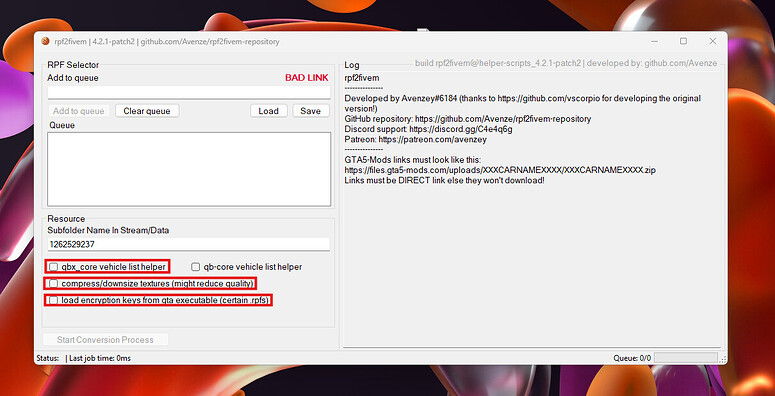
First of all, I’d recommend turning on “load encryption keys from gta executable”
Secondly, I’m turning on both the qbx_core helpers and the texture compression.
Step 3, adding the vehicle to the processing queue,
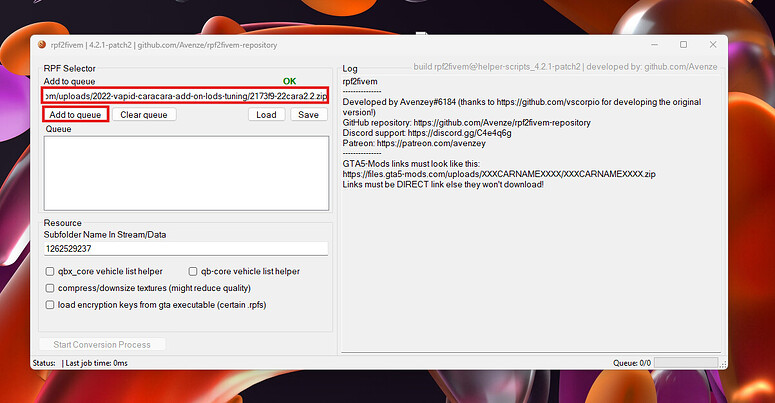
Paste the direct download link into the textbox above the add to queue button,
After you’ve added the link, press “Add to queue”
Step 4, adding the helper information for the qbx_core vehicles,
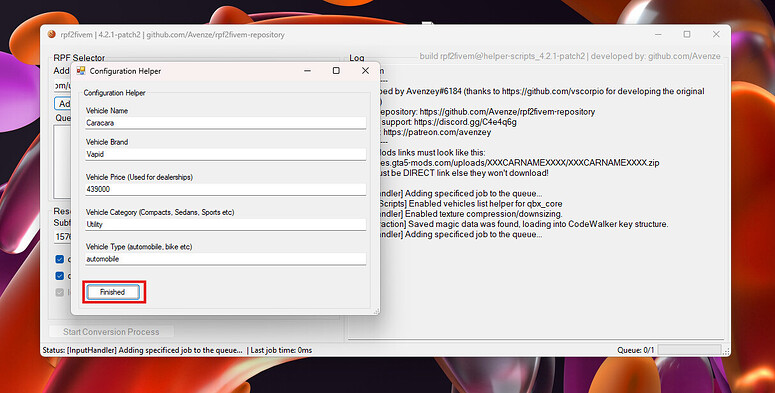
After inputting all relevant information into the Vehicle Name, Brand, Price, Category and Type, you’ll press “Finished” to add everything to the queue.
Step 5, starting the process,
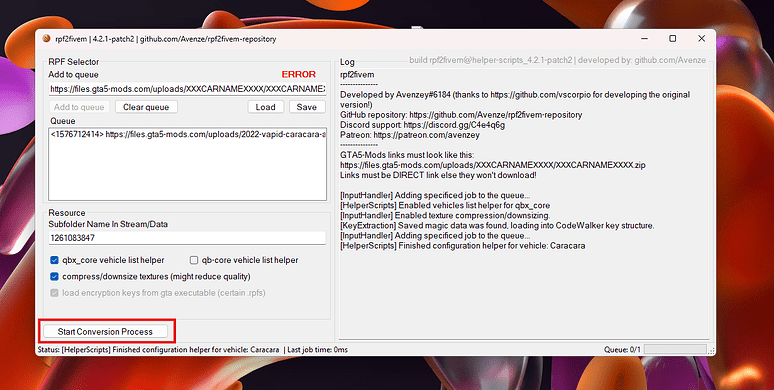
Now you are ready to start the conversion process, to do this, simply press the “Start Conversion Process” button on the bottom.
Step 6, enjoy the results,

 GAZDUIRE JOCURI / VPS / GAZDUIRE WEB / SERVERE DEDICATE - Stock NELIMITAT / Valabil comandati pe